
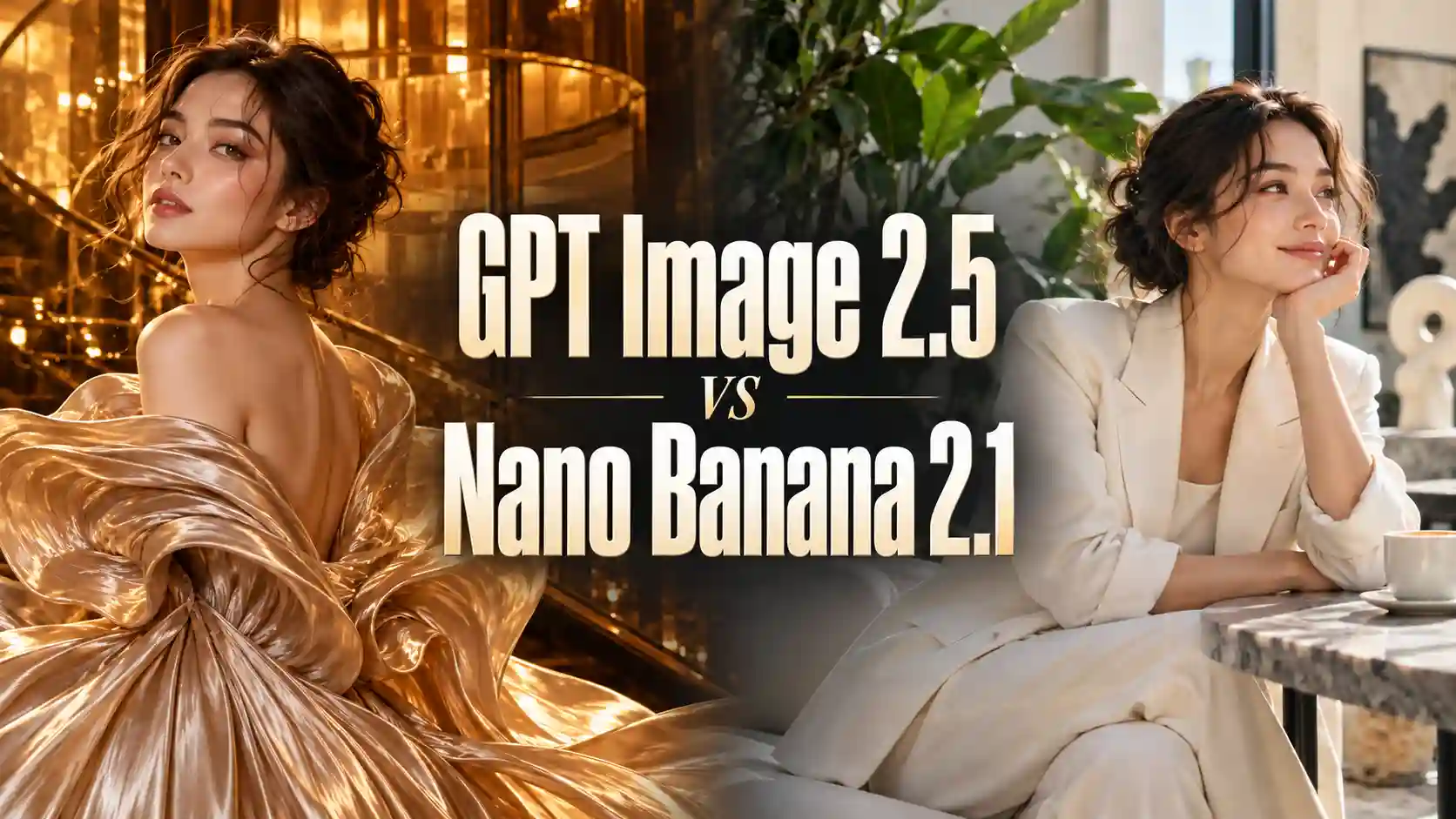
This GPT Image 2.5 vs Nano Banana 2.1 comparison looks at those practical differences through creative examples. Both models are available on PWZ, so you can choose according to the job.
TL;DR: GPT Image 2.5 vs Nano Banana 2.1
GPT Image 2.5 stands out for expressive lighting, rich materials, and dramatic scene building.
Nano Banana 2.1 is worth trying for restrained compositions, natural-looking imagery, and projects built from multiple references.
Both can handle useful edits, but correct content does not guarantee correct positioning or continuity.
For commercial image creation, check the details you need to preserve, not just how impressive the first result looks.
The examples illustrate particular outputs rather than a universal ranking. Settings, reference images, and generation attempts can change the outcome.
Explore PWZ AI Image Generation
Visual Style: Natural Restraint or Stronger Visual Impact?
Choose the visual treatment that serves your subject.
Portraits and Texture
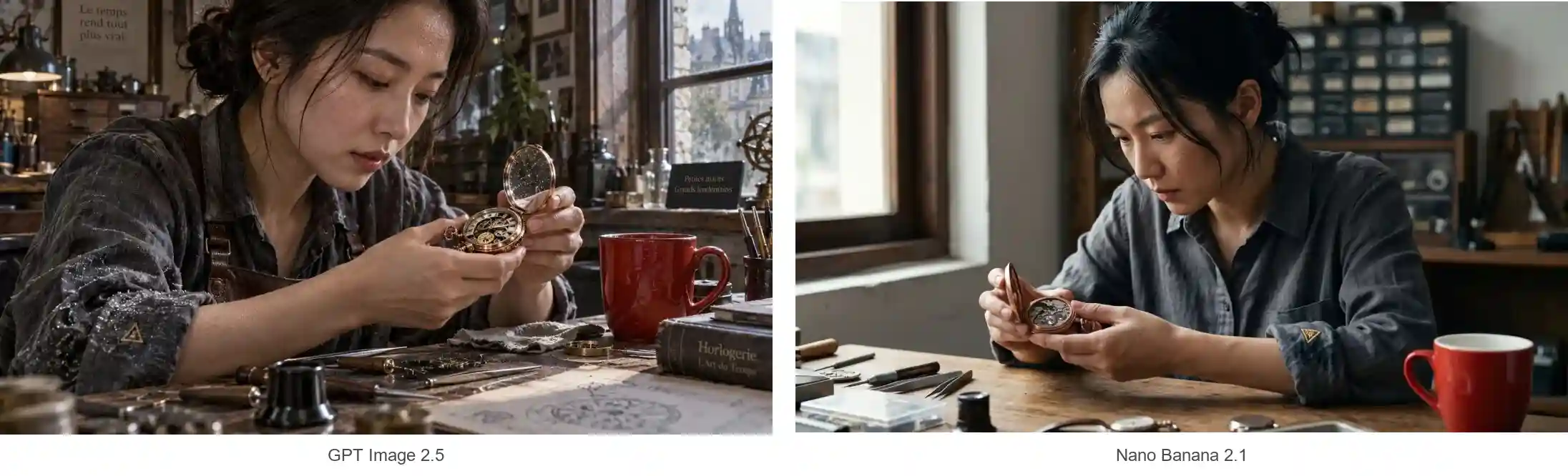
The watchmaker portrait asks for natural skin texture, a damp linen shirt, a detailed copper pocket watch, and soft workshop lighting.
GPT Image 2.5 emphasizes surface detail. Sweat, wet fibers, metal reflections, and surrounding objects become more noticeable. This can create an impressive commercial or cinematic look, although dense highlights may also make a material feel overworked.
Nano Banana 2.1 produces a quieter interpretation. Skin highlights are gentle, fabric reflections are restrained, and the image feels closer to an everyday photographic moment.
For AI portrait generation, examine the intended finish:
For a candid or understated look, check whether skin and lighting feel natural.
For a dramatic portrait, look for deliberate contrast and convincing material detail.
In either case, avoid treating more visible texture as automatically more realistic.
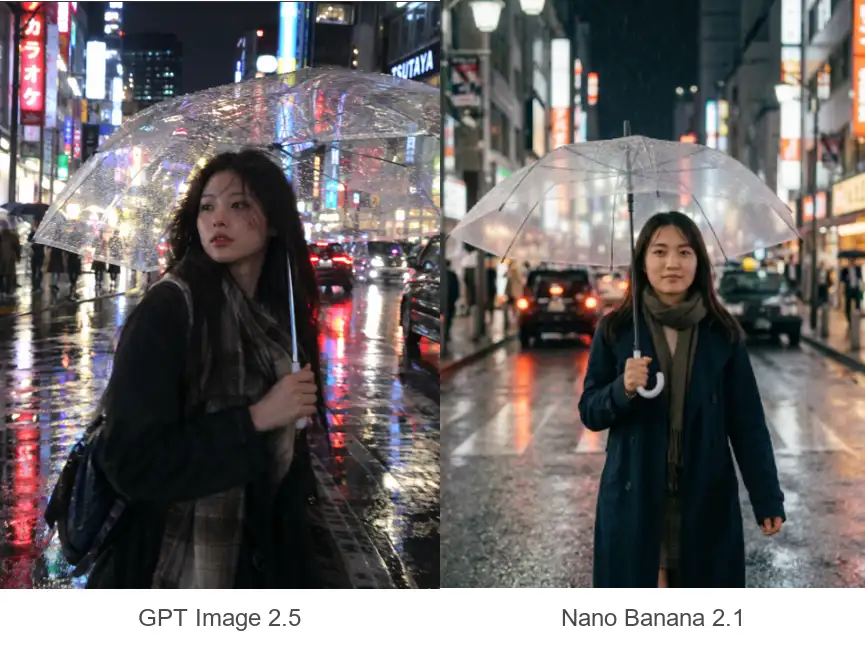
The Tokyo rain-street example shows a related distinction.
GPT’s framing and reflections place greater emphasis on atmosphere.
Nano’s treatment feels more observational.
Wide Scenes and Visual Density
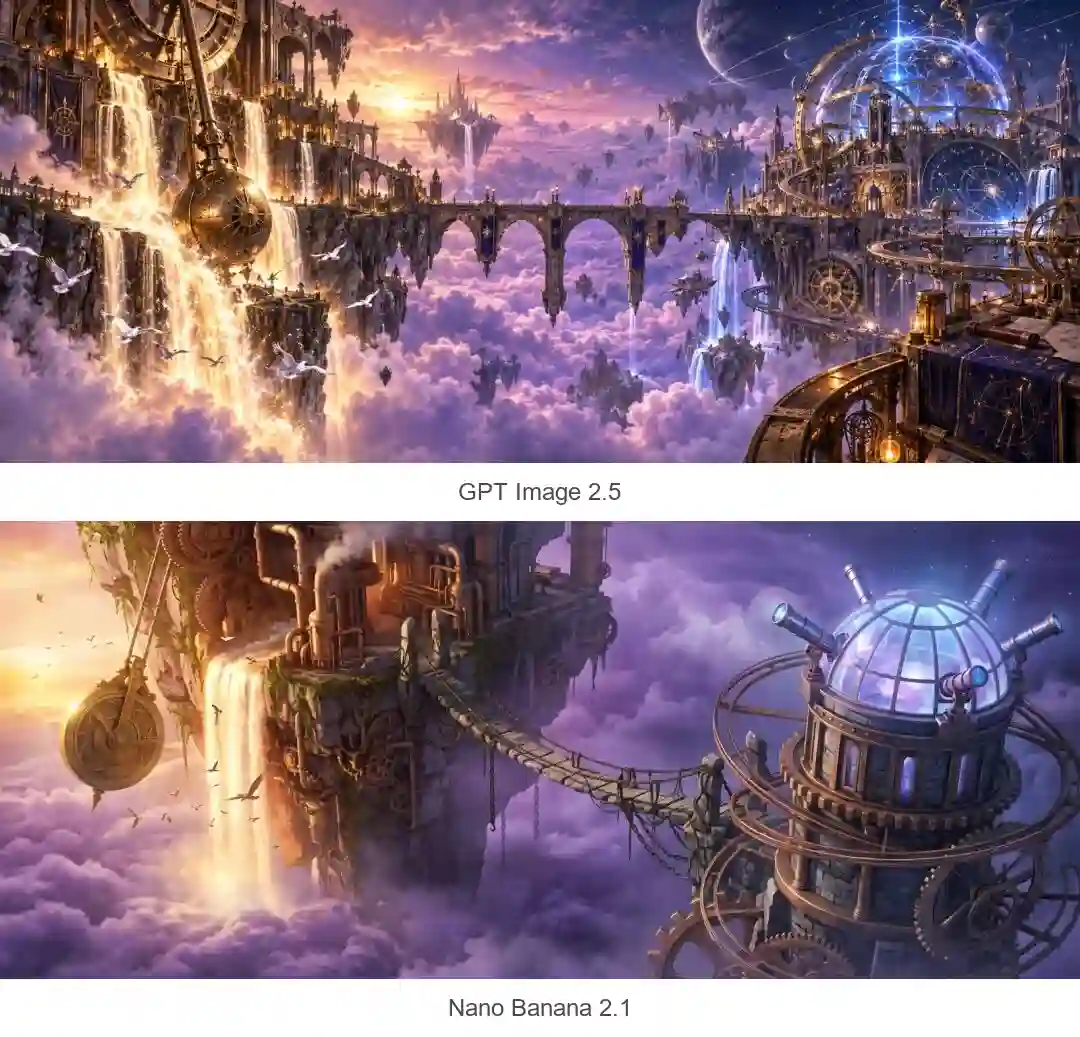
In the mechanical floating-island example, both images contain a bridge, monumental structures, and a purple cloudscape.
GPT fills the scene with additional architectural detail, layered scenery, and lighting effects.
Nano leaves more open space between the main elements.
That difference matters for the finished asset. Open space can help a website banner accommodate a headline. A denser composition can support an immersive concept image.
Neither treatment is inherently better. Decide whether your image needs breathing room or visual abundance before generating.
Prompt Following: Content, Position, and Precise Changes
Check what the model did, not only what it included.
Prompt adherence has several parts. A model can recognize every requested object while placing one incorrectly, or complete an edit while changing something you wanted to keep.
Does It Include the Right Content?
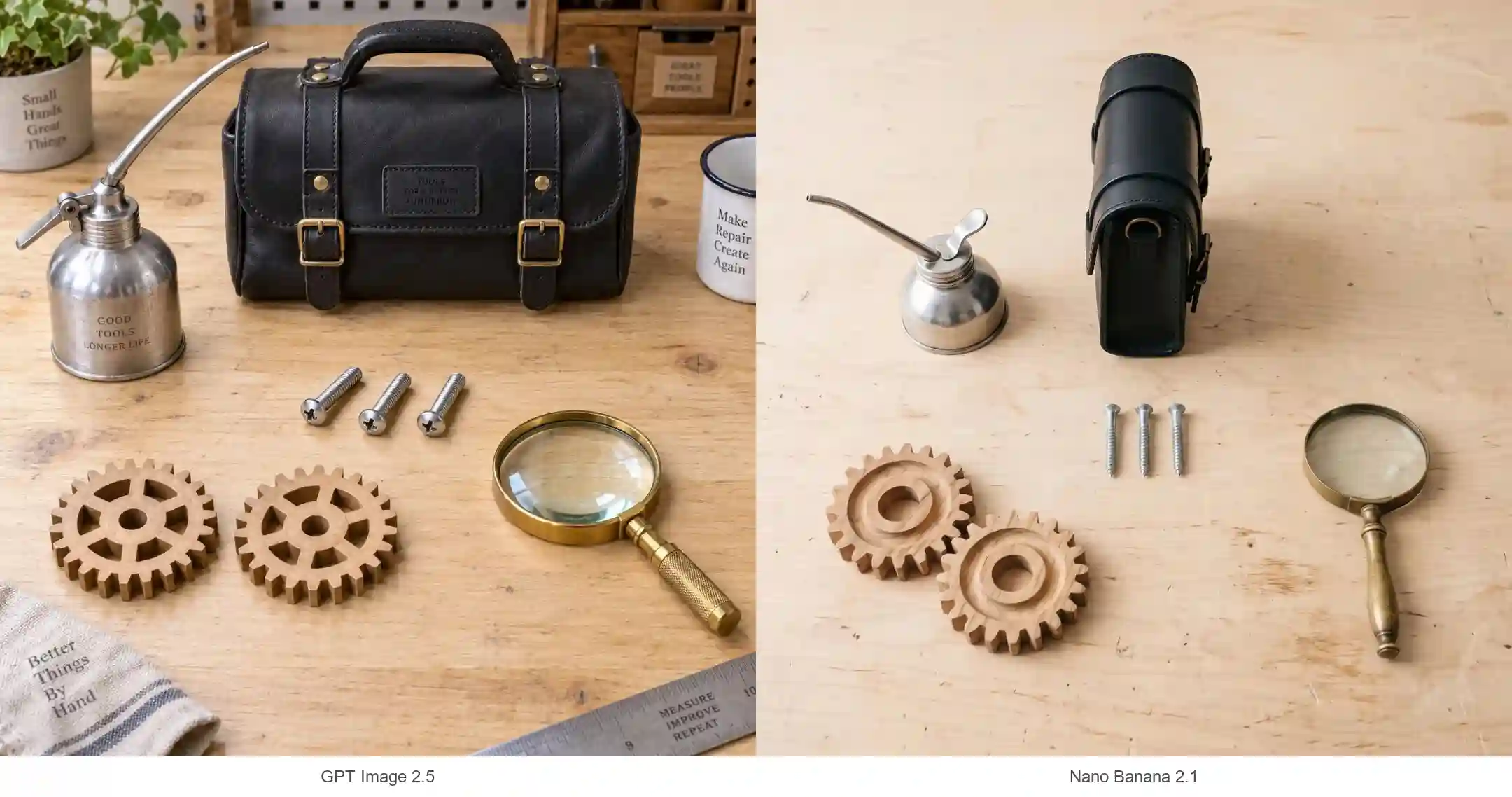
The workshop still-life prompt specifies two gears, one magnifying glass, three screws, one tool bag, and one oil can.
Both outputs contain the requested quantities. However:
GPT Image 2.5 adds surrounding objects, including workshop accessories that make the scene feel more lived-in.
Nano Banana 2.1 keeps the scene close to the specified inventory.
Those additions may help a lifestyle image, but they can complicate a tightly controlled layout.
For prompts with exact requirements, separate the essentials:
Include only the listed objects. Keep every object fully visible and separate. Do not add background props or text.
Then check both missing content and unwanted additions.
Are Positions and Interactions Correct?
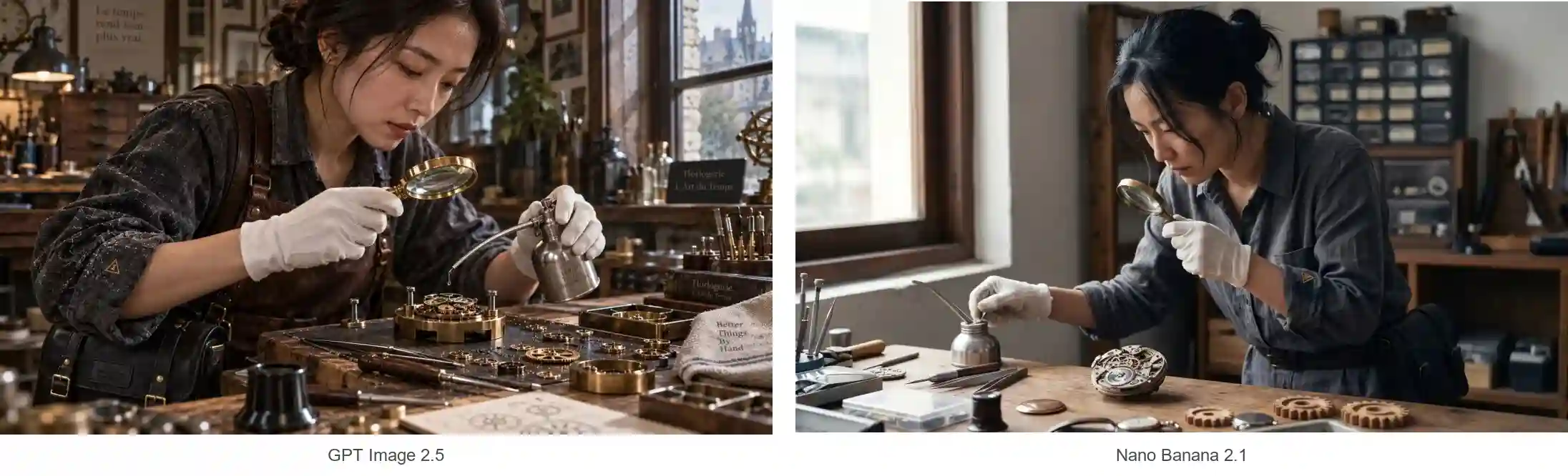
Including every object is only part of the task. The person also needs to use those objects in a believable way.
In the watchmaker example,
GPT Image 2.5 creates more natural, purposeful interactions. The magnifying glass is directed toward the mechanism, while the oil can is positioned as part of the same repair task. The hands, gaze, and tools work together more convincingly.
Nano Banana 2.1 includes the magnifying glass and oil can, but their purpose is less clear. The oil can does not appear to be actively used, and the watchmaker’s gaze through the magnifying glass lacks a clear inspection target.
For scenes involving several objects, specify how they interact. Identify which hand holds each tool, what the person is looking at, and what the action should accomplish.
For example:
Hold the magnifying glass in her right hand above the exposed gears, with her gaze directed through the lens. Use her left hand to angle the oil can’s spout toward a gear pivot, preparing to apply a small drop of oil.
Clear action details help the model turn a collection of objects into a coherent activity.
Can It Change One Thing and Preserve the Rest?
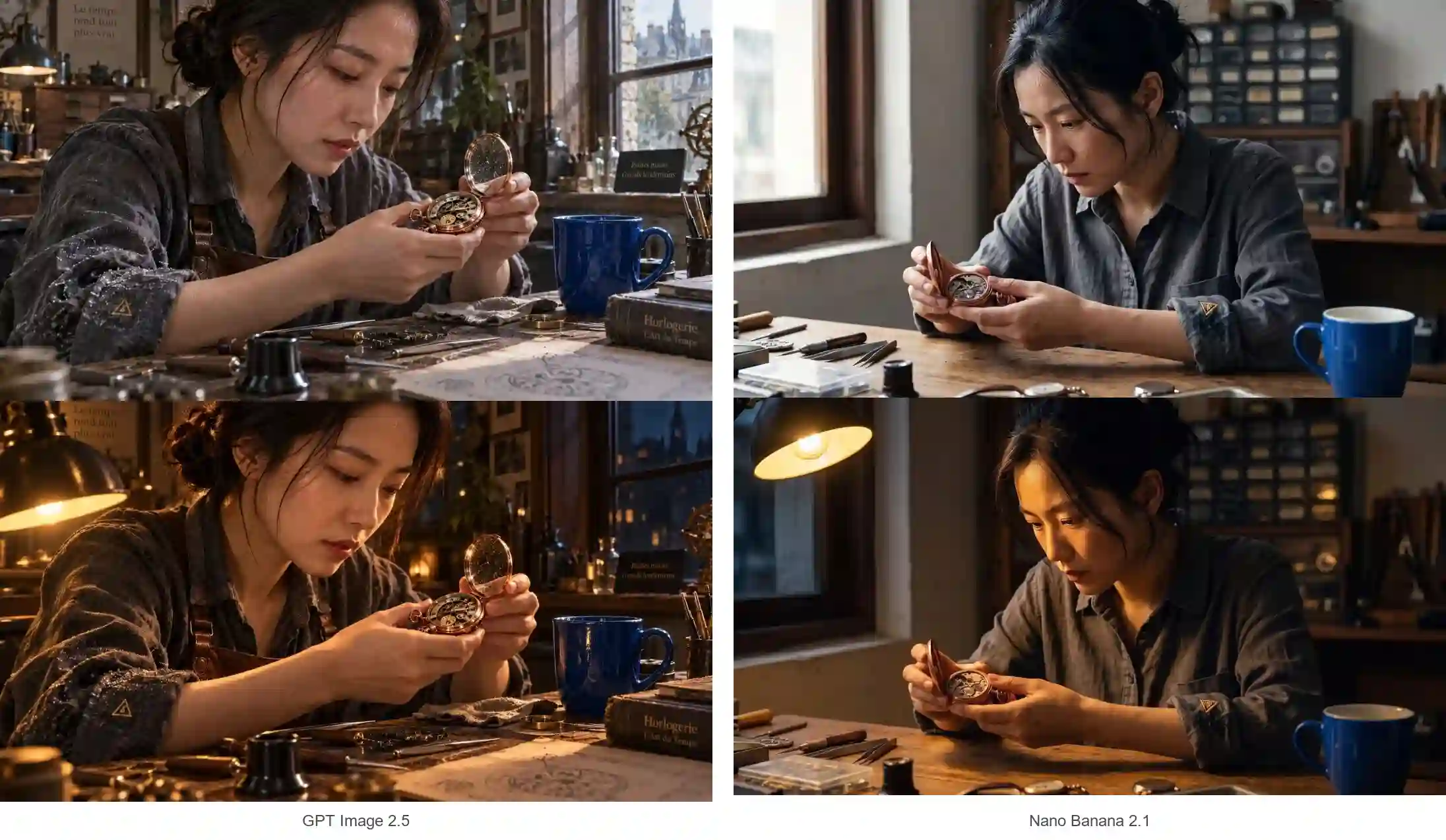
The cup-editing sequence starts with a simple request: change a red ceramic cup to blue while retaining the watchmaker and workshop.
Both models complete the color change and broadly preserve the composition.
The edited image is then uploaded again with a second request: keep the blue cup, but change the lighting to a nighttime workshop.
Both retain the blue cup. Their lighting choices differ:
Nano creates a softer, more evenly distributed warm atmosphere.
GPT uses stronger directional light and deeper contrast.
For GPT Image 2.5 vs Nano Banana 2.1 image editing, this example supports a practical conclusion: both can perform useful targeted changes, while the visual treatment may differ.
Reference Consistency: Preserve the Cast and the Scene
Keeping a recognizable subject is only part of keeping continuity.
Multiple People in One Composition
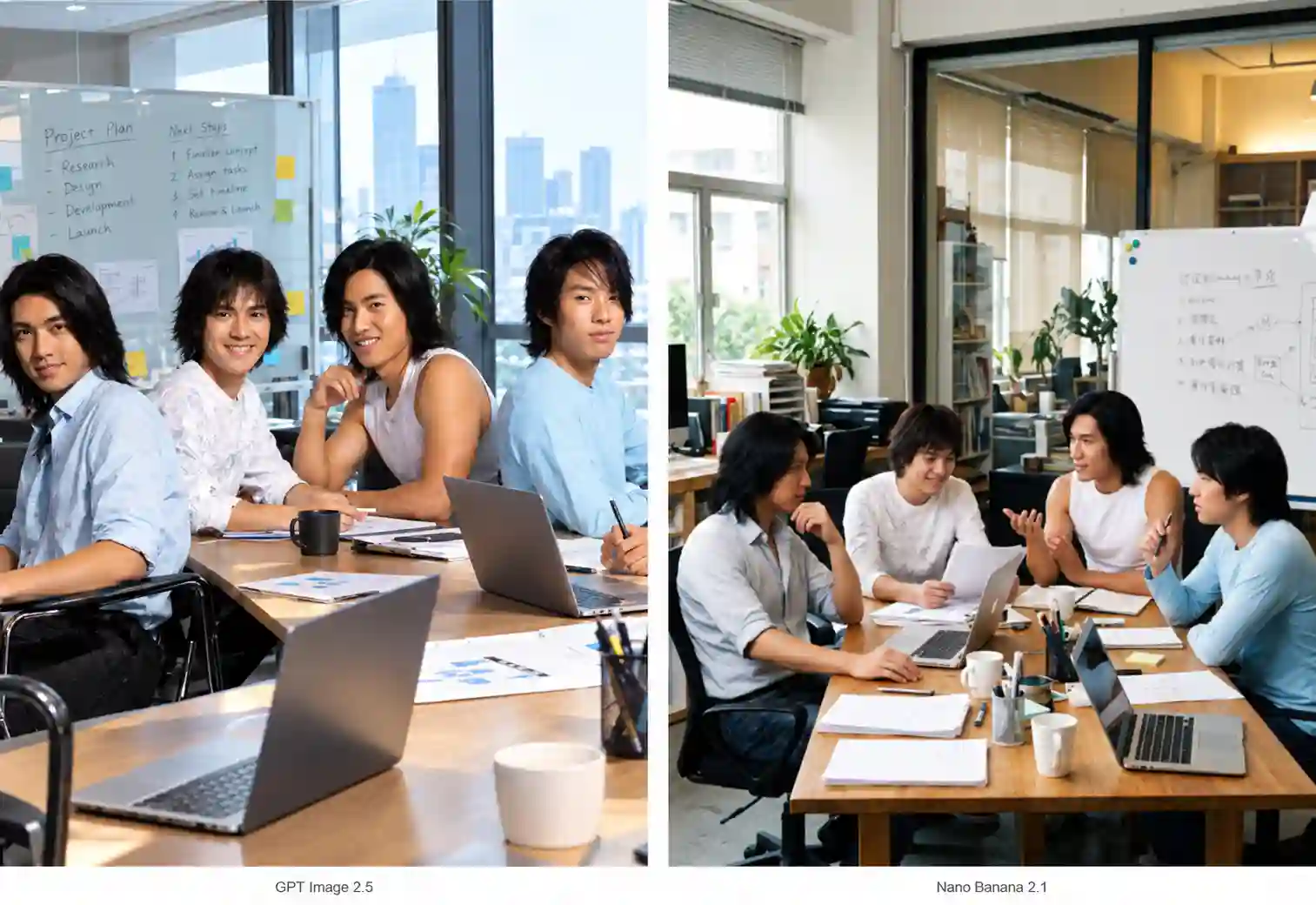
In the office meeting example, both GPT Image 2.5 and Nano Banana 2.1 maintain recognizable character identities, but their staging differs.
GPT’s result feels more like a presentation of the cast, with people arranged for visibility rather than fully engaged in the meeting.
Nano creates more believable interaction: poses, gaze directions, and placement around the table work more naturally with the environment, reducing the staged, AI-generated feel.
This makes consistency a more demanding task. The model must preserve each person’s appearance while adapting their pose, perspective, and lighting to a shared activity. Getting those relationships right makes the image more useful for team visuals, campaign scenes, and visual storytelling.
Multi-reference generation is a key Nano Banana 2.1 strength. It supports for up to 14 reference images, with consistency support for up to 4 characters and fidelity for up to 10 objects.
For better results, identify each reference’s role and give the people a shared activity. Specify who is speaking, who is listening, and what they are looking at. This helps turn separate character references into a convincing group scene.
Maintaining Consistency Across Storyboard Frames
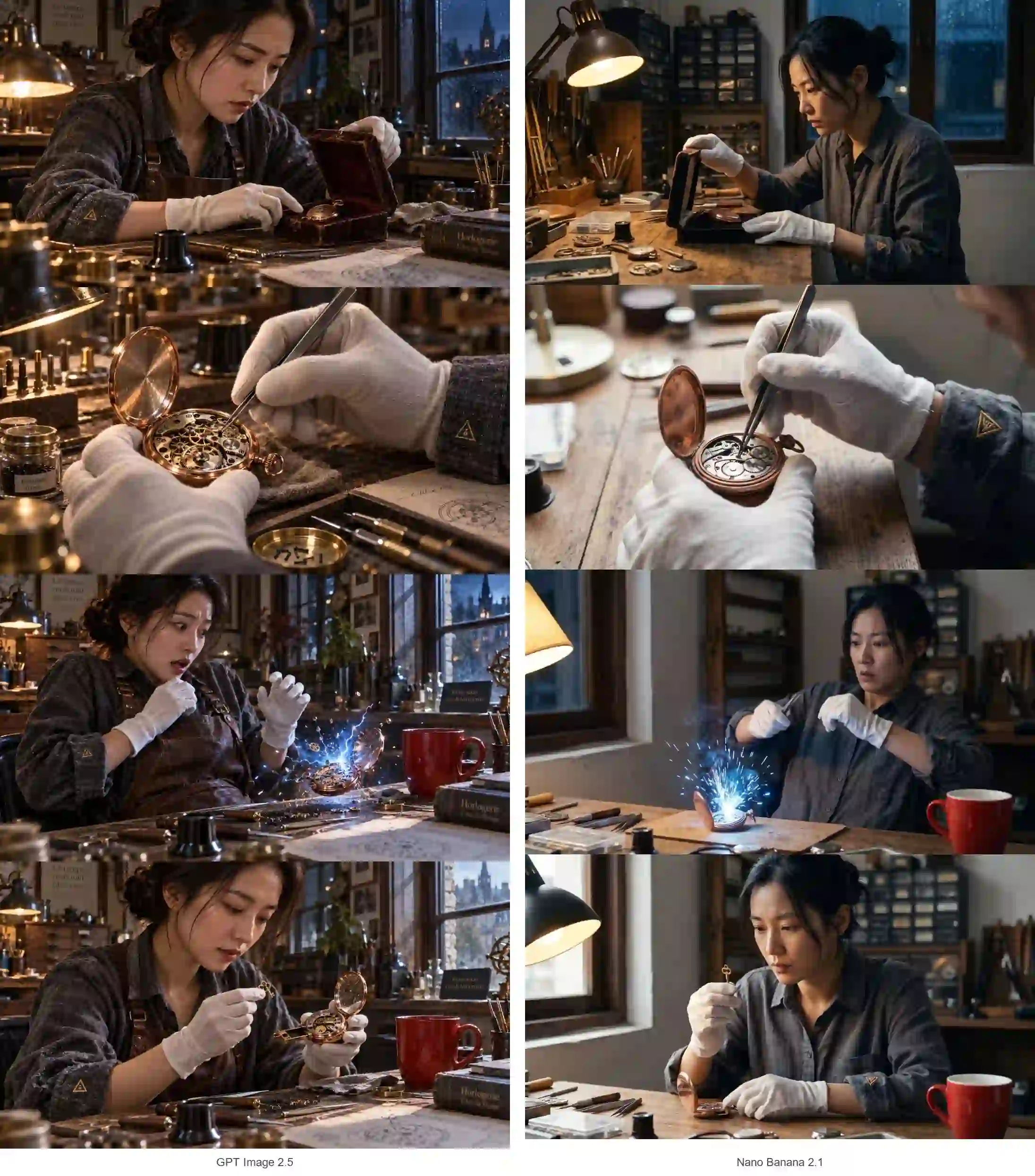
The watchmaker sequence follows four moments: opening a box, examining a mechanism, reacting to sparks, and retrieving a hidden key.
Each shot uses the same original character image as its reference. This tests separate generations from a shared source, rather than a continuous editing conversation.
Both models broadly maintain the character’s appearance. The more revealing differences involve the environment and story:
Continuity Check | Nano Banana 2.1 | GPT Image 2.5 |
Character appearance | Preserves the overall identity, with changes to small clothing details | Preserves the overall identity, though fine details still vary |
Room layout | The lamp shifts toward the window in later frames, causing spatial drift | Keeps the lamp and window positions more stable |
Inspection close-up | Includes part of the cheek despite the instruction to show no face | Keeps the shot focused on the hands and watch |
Final reveal | Does not clearly show the requested hidden compartment | Shows the mechanical compartment more explicitly |
Action and expression | Some actions are less clearly connected to the story | Largely completes the requested actions, with more exaggerated reactions and effects |
For better AI storyboard consistency:
Simplify the scene. Reduce unrelated props and background details that create opportunities for errors.
Specify the important changes. Explain what the central object looks like and how its state changes between frames.
Check the visual center first. Review the watch, tools, and hidden compartment before secondary scenery.
GPT Image 2.5 delivers stronger instruction following and continuity here, but the key story details still need a frame-by-frame check.
Which Model Fits Your Creative Project?
Start with what your finished image needs to do.
Posters, Infographics, and Abstract Concepts
The examples show different strengths in visual design and information delivery:
AI Poster Design:
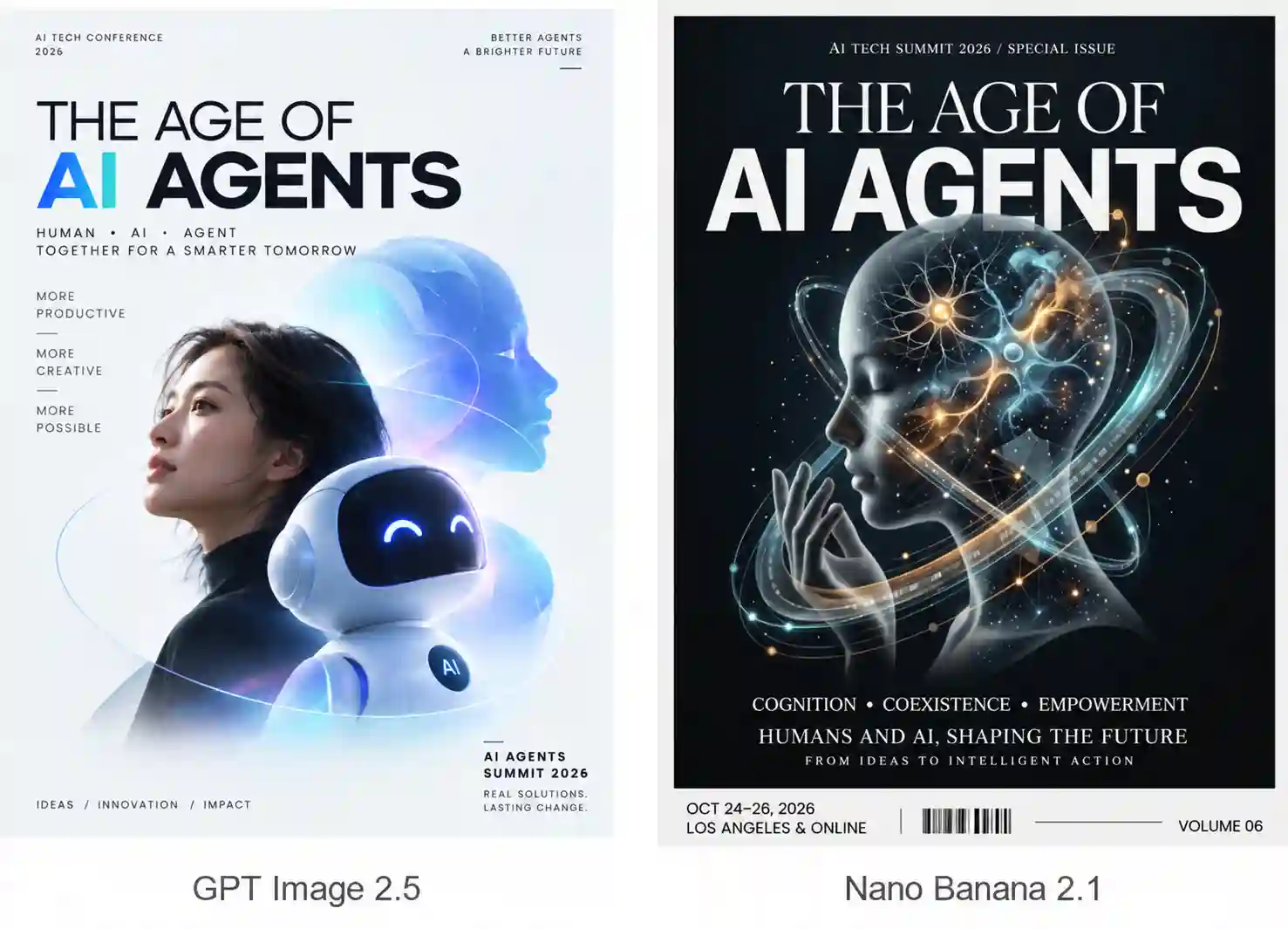
GPT Image 2.5 delivers a more professional, attractive composition with a creative direction better suited to the event.
Nano Banana 2.1 takes a more conventional approach.
AI Infographic Generation:
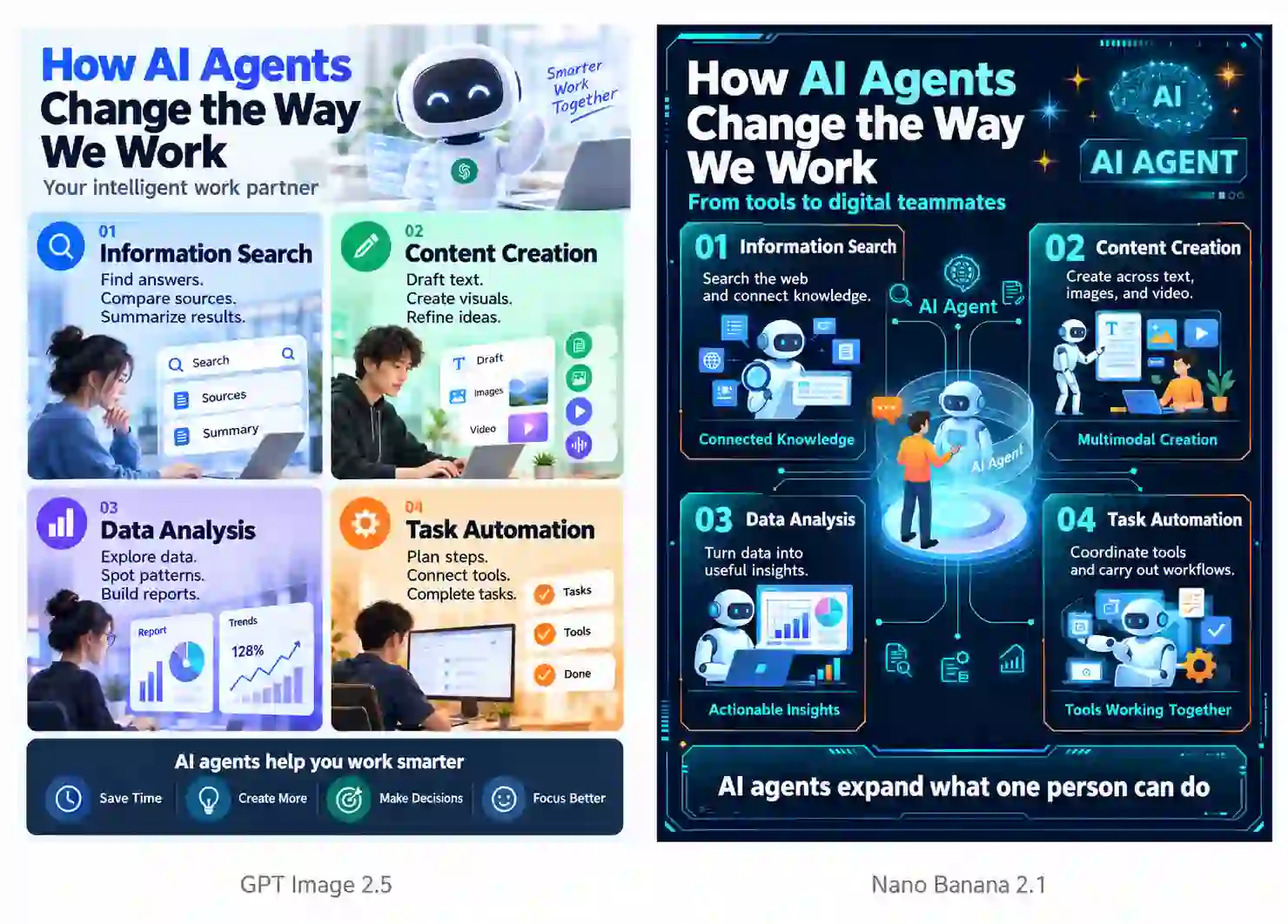
GPT’s design is engaging, but less immediately readable.
Nano presents the information more clearly, with a smoother reading flow and varied sections that support the content’s logic.
Abstract Concept Visualization:
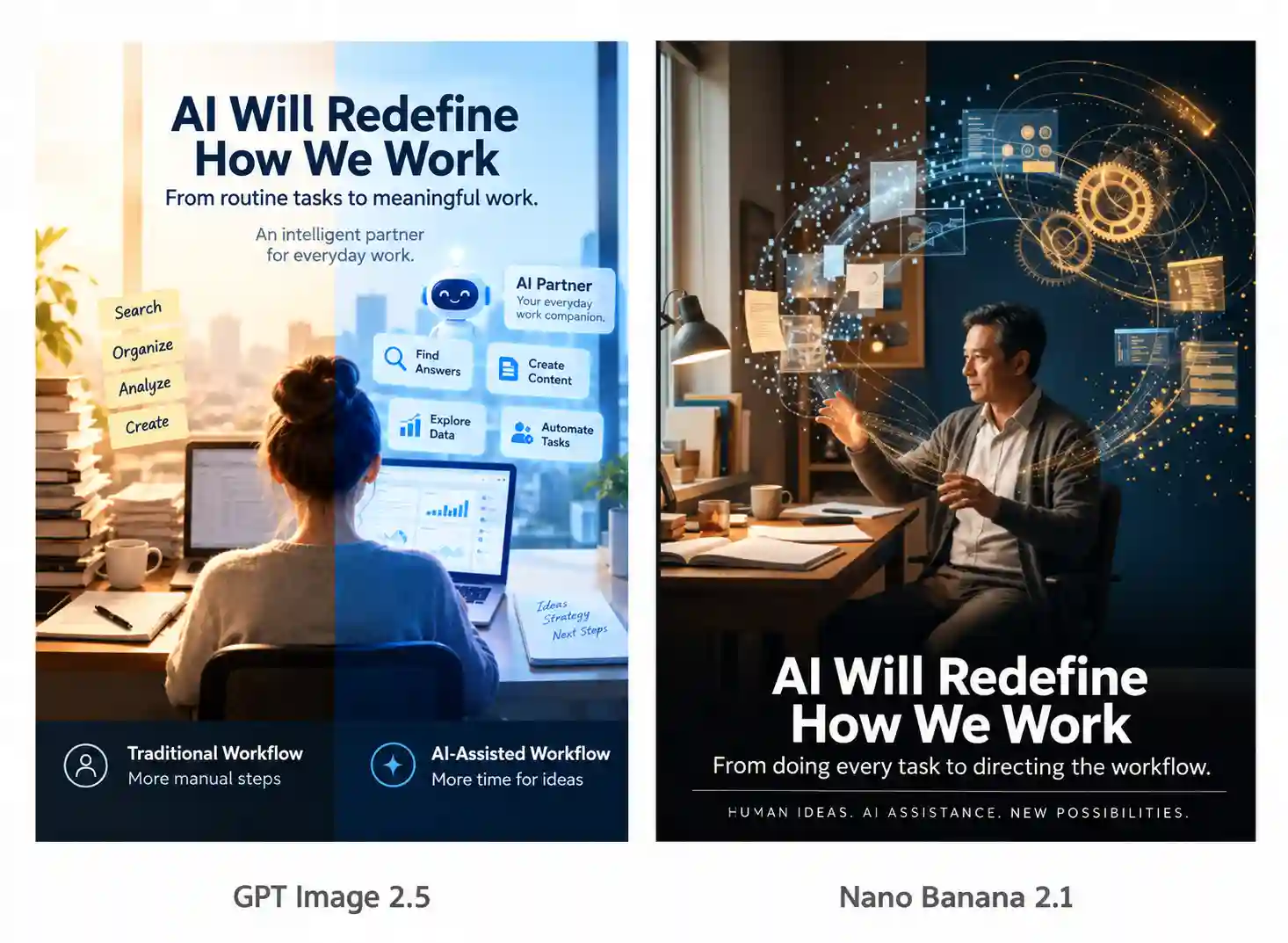
GPT develops an idea that better expresses the theme, with a more fitting and polished design.
Nano gives more generic interpretation.
In short, GPT Image 2.5 shows stronger independent creative interpretation in these examples, making it worth trying for complex concepts and inspiration exploration.
Nano Banana 2.1 works well with a clearly defined design plan, especially when organized information delivery is the priority.
Try GPT Image 2.5 for: campaign concepts, event posters, editorial illustrations, and visual metaphors.
Try Nano Banana 2.1 for: educational infographics, process explainers, feature comparisons, and structured social graphics.
Specify the audience, exact wording, and main takeaway, then check whether the result communicates clearly at a glance.
Product Advertising Images
Preserve the product first; build the atmosphere around it.
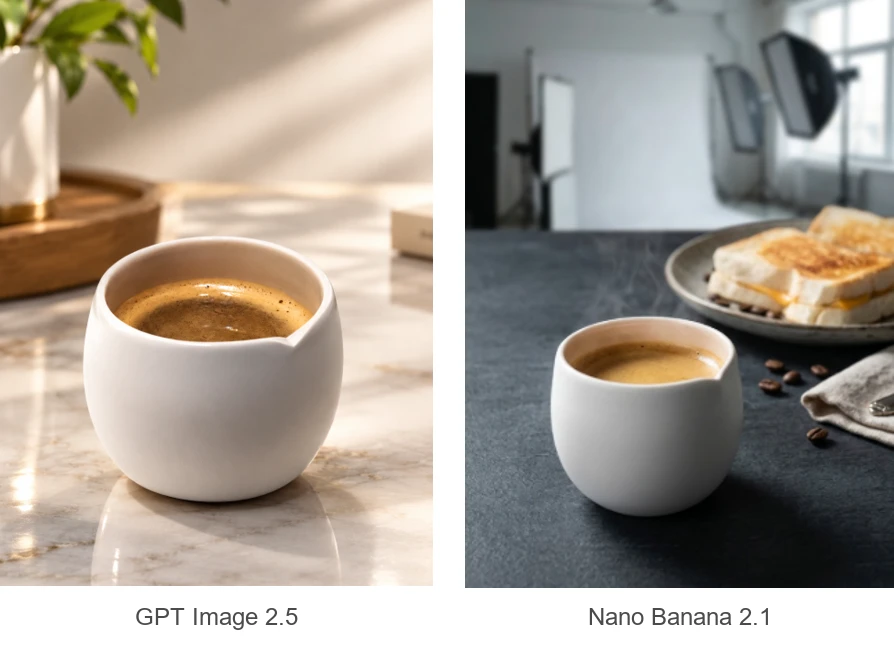
GPT Image 2.5: A useful starting point for dramatic lighting, prominent material detail, and a polished advertising atmosphere.
Nano Banana 2.1: A useful starting point for combining product and scene references, especially when you want a natural, restrained setting.
The coffee-cup examples illustrate different visual treatments rather than a definitive product-consistency winner.
Check the result against the original: shape, proportions, labels, hardware, and material finish should remain accurate.
Stylized Art and Creative Concepts
Decide how closely the image must follow a specific medium.
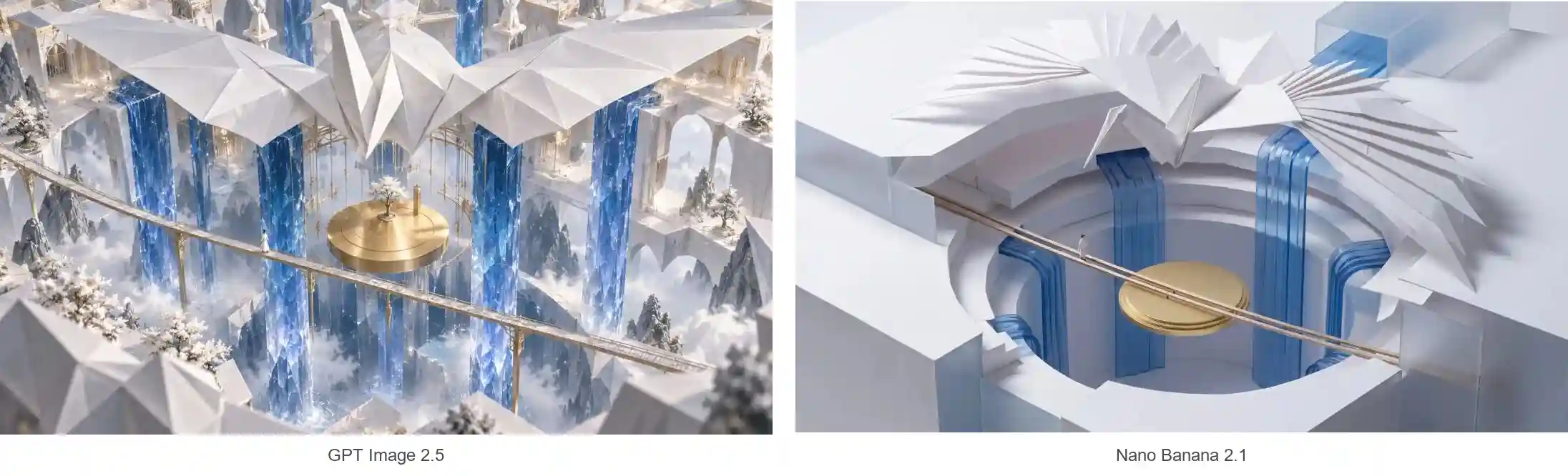
In the folded-crane scene, Nano retains clearer paper folds and a miniature-model feel. GPT develops a more elaborate fantasy environment.
Choose GPT Image 2.5 for expansive concept art, dramatic environments, or an interpretation with more visual detail.
Choose Nano Banana 2.1 for tightly defined materials, clean miniature scenes, or restrained compositions.
Name the medium explicitly, such as folded paper, frosted glass, or painted illustration, and check whether the result actually preserves it.
Local Edits and Lighting Changes
In the recoloring and relighting examples, both retain the subject, composition, and previously edited details. The main difference is the visual finish:
GPT Image 2.5: Stronger contrast, richer highlights, and a more dramatic, lavish treatment.
Nano Banana 2.1: More restrained lighting and a natural, realistic look.
Choose according to your intended style. Specify what should change and what must remain, then check important details after each edit.
Storyboards and Images for Video
GPT Image 2.5 shows stronger connected understanding and generation in the watchmaker sequence. It maintains spatial relationships more reliably and translates the requested actions and reveals into clearer frames.
The two models can also support different stages of one workflow:
Preview the storyboard with GPT. Establish the composition, actions, and story progression.
Confirm the key elements. Check character appearance, room layout, and important props.
Refine with Nano. Use the approved frames as references to pursue a more natural, realistic finish.
Recheck continuity after switching models, especially faces, object structures, and positions. Once the frames are approved, use them as starting images for video creation on PWZ.
How to Choose between GPT Image 2.5 and Nano Banana 2.1?
Choose by the constraint that matters most.
Start with GPT Image 2.5 when you want richer lighting, expressive details, or a more developed cinematic interpretation.
Start with Nano Banana 2.1 when you want a restrained visual direction, clearly defined materials, or a composition built from multiple references.
For precise edits and continuity-heavy work, test both against the details your project must preserve.
The better choice is the result you can use confidently, not simply the one that looks more dramatic at first glance.
GPT Image 2.5 vs Nano Banana 2.1 FAQs
Can I use the same prompt for GPT Image 2.5 and Nano Banana 2.1?
Yes. A shared prompt is a useful starting point for comparison. Keep the requirements consistent before making model-specific adjustments, so you can distinguish the model’s behavior from changes in your instructions.
Is higher resolution the same as better image quality?
No. Resolution affects pixel dimensions. Composition, instruction following, accurate details, and convincing materials are separate concerns.
Which model should I try for transparent backgrounds?
GPT Image 2.5 supports transparent output with PNG or WebP in OpenAI’s documented workflow. On PWZ, select the available transparency and compatible format options rather than relying only on the phrase “transparent background” in your prompt.
Can I move an image from one model to the other?
You can download an accepted result and upload it as a reference for another model where supported. Keep a copy of the original, because the second model may reinterpret fine details even when asked to preserve them.
Does a more detailed prompt always produce a better image?
No. Prioritize the subject, required relationships, visual style, and preservation rules. Conflicting or unnecessary instructions can make the intended result less clear.