
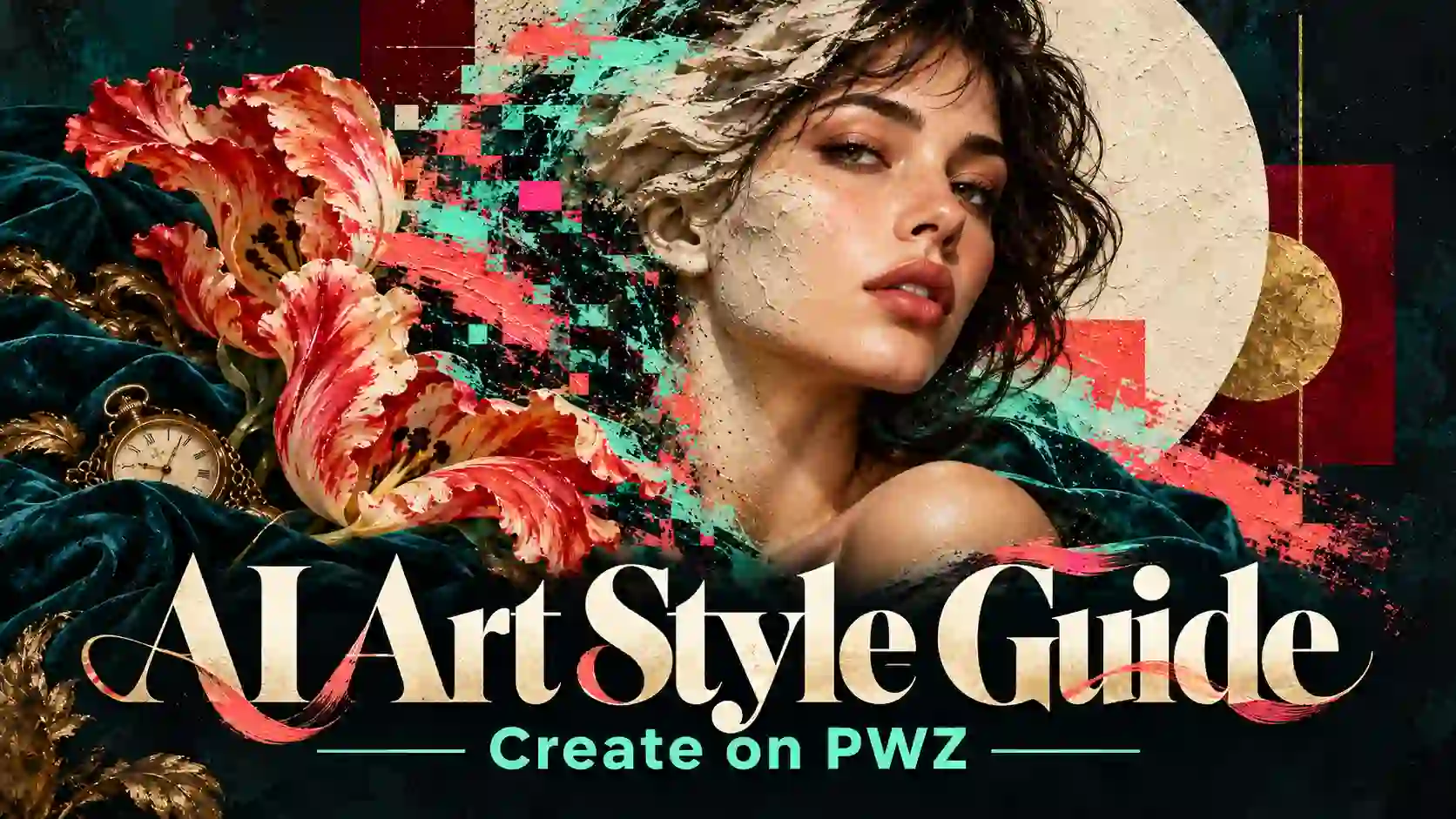
A recognizable visual style starts with specific decisions: where the subject sits, how surfaces look, which colors dominate, and what the light reveals. These choices give AI art prompts a clearer direction than a long list of descriptive words.
This guide explores 4 AI art styles, shows how to combine their visual characteristics, and explains how to develop images on PWZ before extending them into video.
TL;DR: AI Art Creation Guide
Choose a style for the job. A product visual needs different priorities from a symbolic still life or an experimental portrait.
Give combined styles separate roles. One can organize the composition while another supplies texture or motifs.
Refine images one decision at a time. Save the successful choices in a reusable style brief.
Plan motion around what must stay recognizable. Animation should preserve the image’s subject, materials, and visual hierarchy.
Explore PWZ AI Generator Online
How to Choose an AI Art Style for Your Project
Start with a visual purpose.
Before choosing a style, finish this sentence:
This image needs to help the viewer notice or feel.
A product launch might need immediate recognition.
An editorial cover might need tension or symbolism.
A social post might depend on a strong silhouette at a small size.
Then describe the style through four practical decisions:
Composition: subject placement, scale, viewpoint, and negative space.
Material: photographic surfaces, painted texture, printed paper, or digital artifacts.
Color and light: the dominant palette, contrast, and direction of illumination.
Motifs: objects or shapes that carry the theme.
This is a useful starting point for learning how to describe art style for AI. Choose the traits that serve the image’s purpose, and identify the subject details that must remain intact.
4 AI Art Styles for Distinctive Image Generation
Give each style a clear visual job.
New Topographics: AI Photography Prompts for Everyday Landscapes
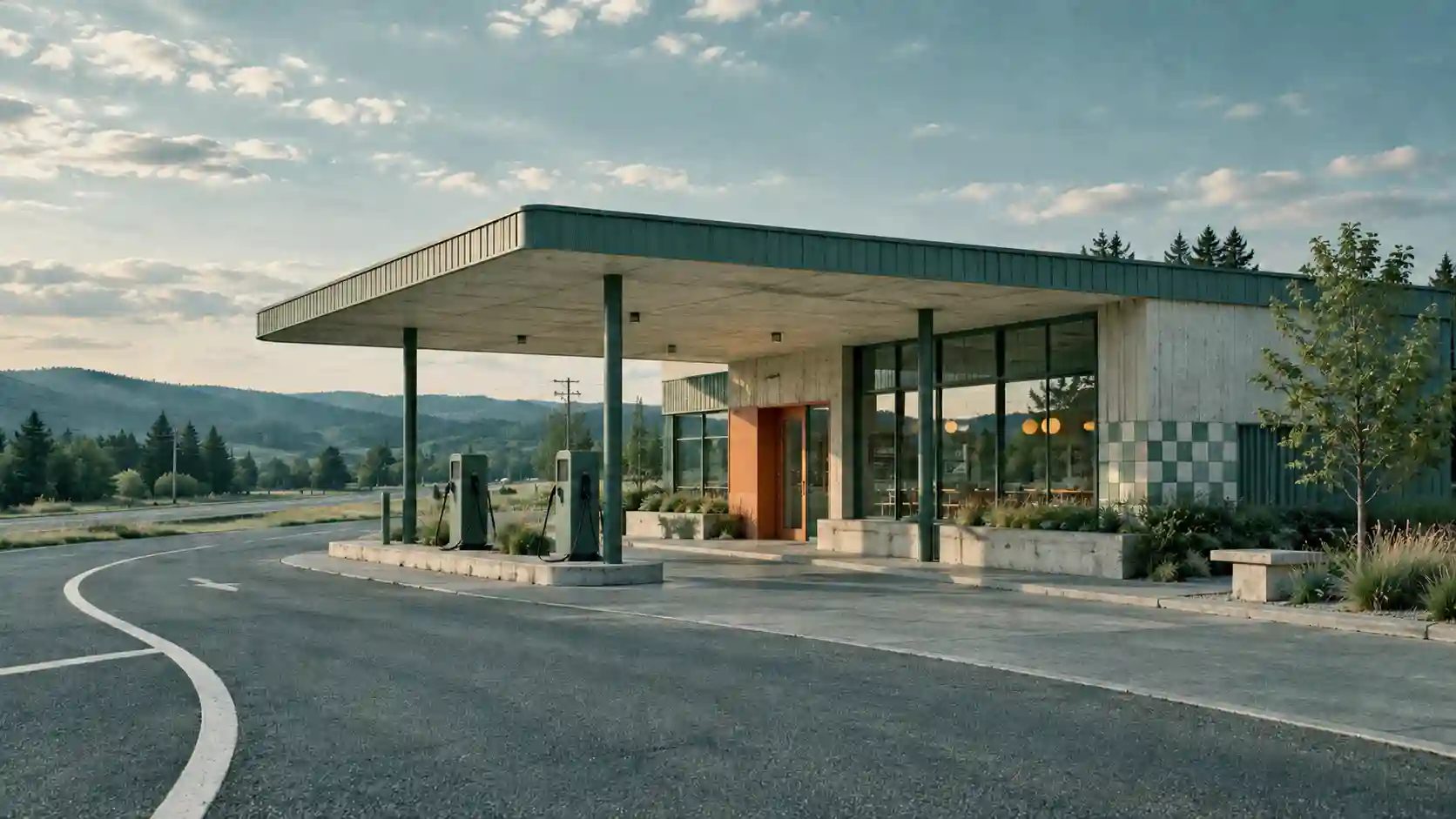
New Topographics offers a reference for observing ordinary, human-altered environments: roadside buildings, parking lots, housing, and industrial edges. Its value lies in careful attention to places that might otherwise go unnoticed.
✅ Useful for: architectural studies, urban storytelling, and restrained editorial backgrounds.
💡 Prompt direction:
Describe the viewpoint, spatial relationships, and ordinary details. For a quiet interpretation, use measured framing and even light.
Photograph a small roadside service station from across an empty street. Use frontal framing, visible utility lines, subdued concrete and faded paint, and even overcast light. Keep the scene unoccupied and observational.
❕ Avoid: adding a dramatic sunset or spectacle automatically. Decide whether that atmosphere supports the place you want to show.
Bauhaus-Inspired AI Art: Geometric Composition and Visual Hierarchy
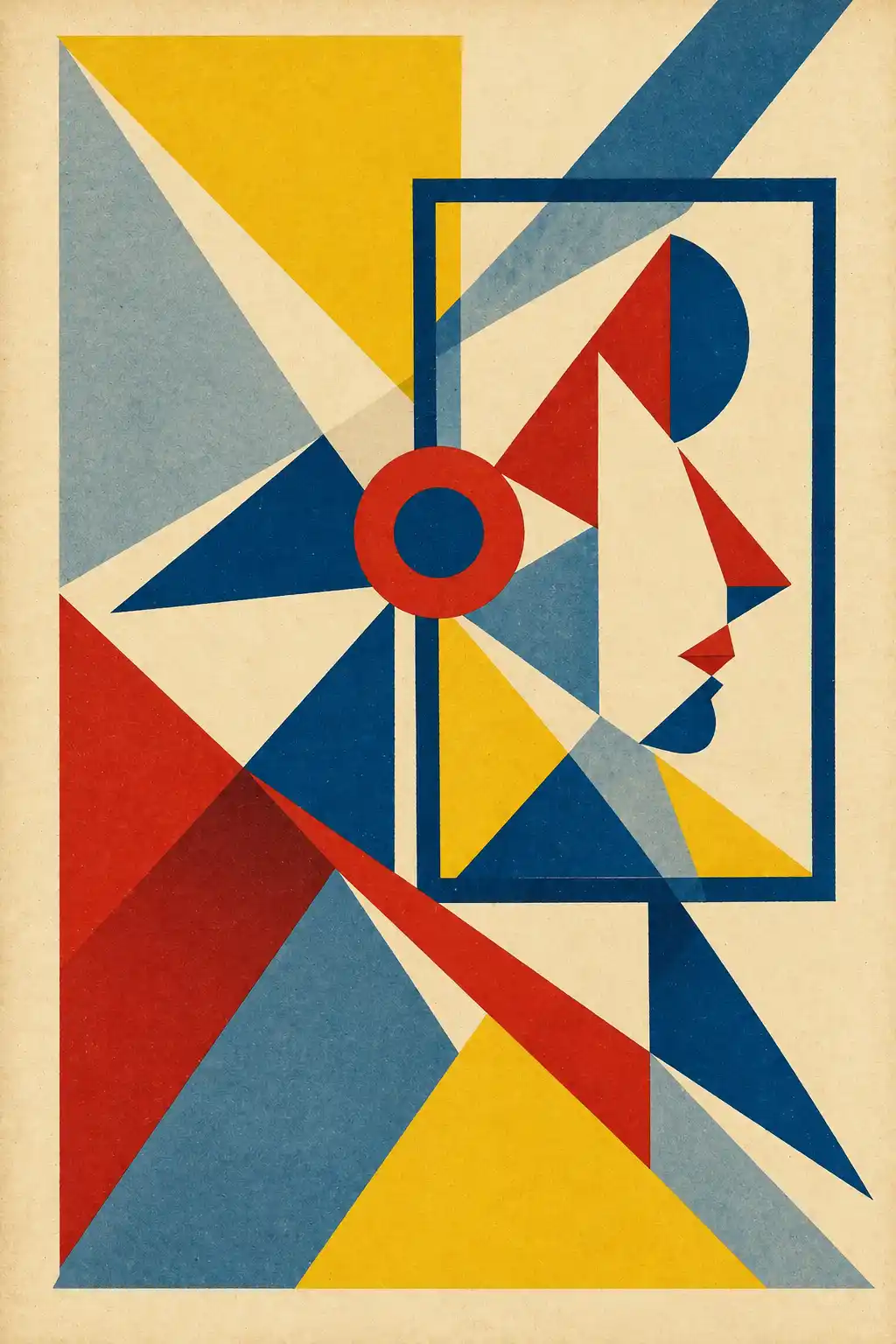
A Bauhaus-inspired approach can connect geometric forms, functional organization, and a clear hierarchy. It is especially useful when the viewer needs to understand the composition quickly.
✅ Useful for: posters, article covers, event graphics, and structured product visuals.
💡 Prompt direction:
Specify the dominant form, alignment, palette, and space reserved for text. Geometric elements should guide attention toward the subject.
Design a poster with one large red circle, a narrow black diagonal, and a small blue rectangle on warm ivory paper. Place the focal point above center and reserve a clean lower area for a headline.
❕ Avoid: giving every shape equal size or emphasis. A limited palette alone does not create hierarchy.
Glitch Art Prompts: Controlled Distortion and Subject Clarity

Glitch art introduces visual disruption through effects such as channel separation, scan lines, pixel displacement, or compression-like blocks. The location of the disruption determines whether the image stays readable.
✅ Useful for: music artwork, experimental portraits, technology visuals, and digital campaign assets.
💡 Prompt direction:
Define where distortion appears and what it must leave untouched.
Create a portrait against charcoal gray. Apply restrained RGB separation and horizontal pixel displacement to the outer silhouette and background. Keep the eyes, mouth, and central facial features clear, with a limited cyan-and-red accent palette.
❕ Avoid: spreading strong distortion across every surface, especially faces, products, and important text.
Vanitas: AI Still-Life Prompts with Symbolic Detail
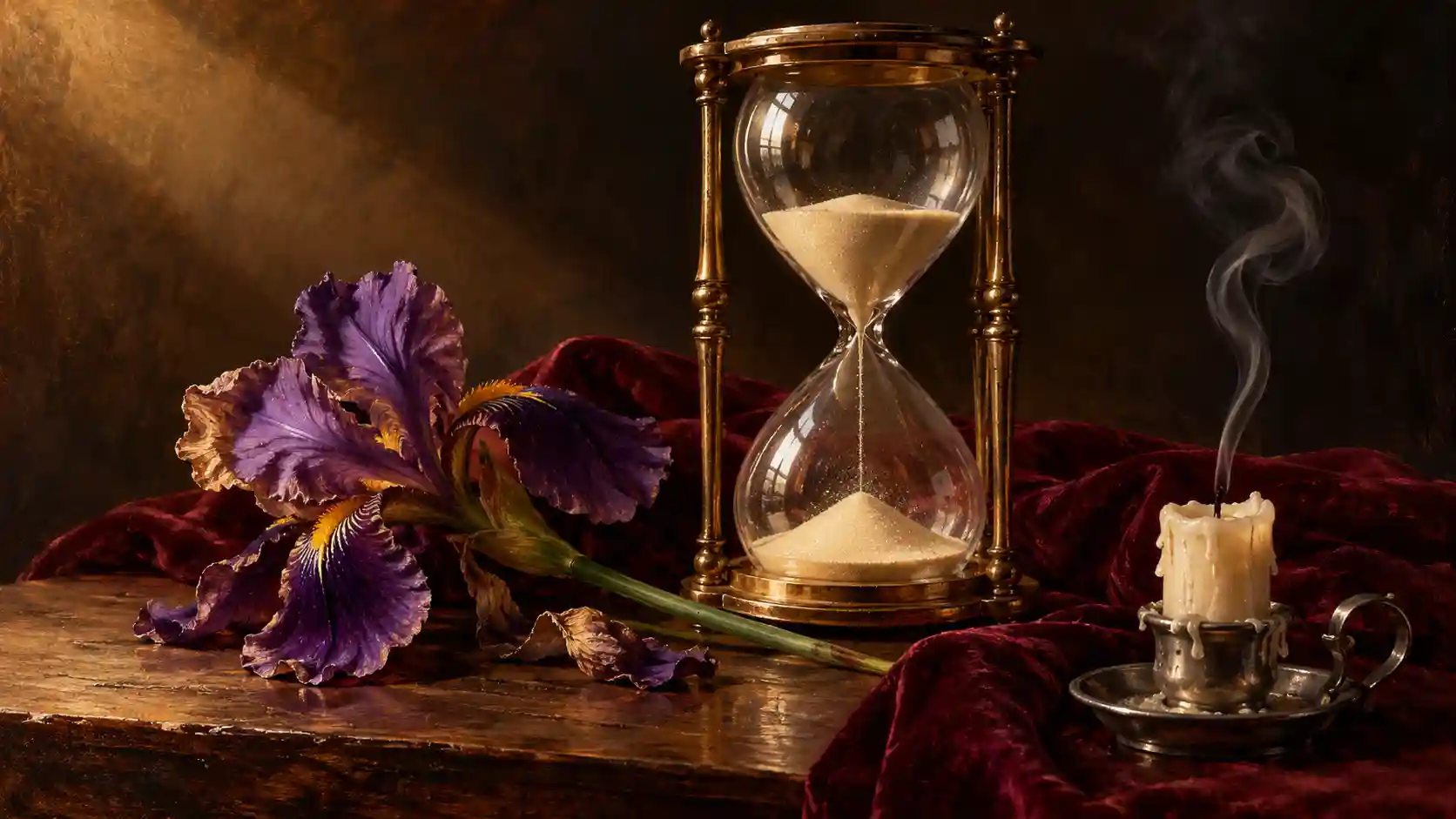
Vanitas still life uses objects to suggest time, change, and the temporary nature of possessions. A fading flower, an extinguished candle, or a watch can establish that meaning without filling the frame with symbols.
✅ Useful for: conceptual covers, reflective artwork, and expressive still-life compositions.
💡 Prompt direction:
Give each object a purpose and a clear position. Describe how light reveals different surfaces.
Arrange a fading tulip, a closed pocket watch, and an extinguished candle on a dark wooden table. Use soft side light to reveal wax, petals, and tarnished metal, with generous space around the arrangement.
❕ Avoid: treating every dark still life as Vanitas. The relationship between objects carries the idea.
How to Combine AI Art Styles in a Single Image
Give every influence a clear responsibility.
Combining styles raises a practical question:
Which instruction should control the result?
A geometric layout, symbolic still life, and painted surface can work together, but the prompt needs to explain their relationship.
Use these 3 decisions to make AI style blending easier to direct.
Set Prompt Priorities Before Adjusting Word Order
Open with the subject and the intended visual structure. Follow with supporting details and the features that must stay recognizable. This makes the brief easier to read and revise.
Compare two directions:
Geometry leads: Arrange the still-life objects within an asymmetric geometric poster layout.
Still life leads: Create a naturalistic still life, with a small geometric panel behind the objects.
These are different compositions. Name the intended relationship directly rather than relying on the order of “Bauhaus” and “Vanitas” to communicate it.
💡 Prompt tip:
Use instructions such as “make the geometric layout dominant” or “limit the secondary pattern to the background.”
Word order can be a variable to explore, but it is not a reliable numerical weighting system across models.
Translate Artist References into Visible Characteristics
An artist’s name can suggest a broad visual direction, but different models may interpret it differently. Names also leave important choices about composition and surface treatment unstated.
To describe art style for AI more precisely, identify the characteristics you actually want:
Layout: an asymmetric grid and one strong diagonal.
Palette: ivory and black with a restrained red accent.
Surface: uncoated paper with a fine printed texture.
💡 Prompt tip:
Keep the useful visual traits when revising.
If the layout works but the surface looks too glossy, change the material instruction without rewriting the entire style brief.
Separate Composition, Texture, and Lighting
Give each influence a distinct role. This helps you identify what to change when the result becomes confused.
Visual role | Instruction for a combined-style image |
Composition | Use Bauhaus-inspired geometry to organize the objects and negative space |
Material | Apply a controlled oil-painted texture to the still-life objects |
Lighting and color | Use soft warm side light and an ivory, charcoal, and muted-red palette |
Symbolic detail | Include a fading tulip, a watch, and an extinguished candle |
These roles still need to work together. Heavy paint texture could obscure a small watch; deep shadows could hide the arrangement.
Specify where texture and contrast belong.
Combined prompt example:
Create a still-life poster with a dominant asymmetric geometric layout. Arrange a fading tulip, a closed watch, and an extinguished candle in front of a large circular backdrop. Use subtle oil-painted texture on the objects and a smooth ivory background. Add soft warm side light, restrained charcoal and muted-red accents, and a clear lower area for a headline. Keep the objects recognizable.
If a blend becomes visually split, ask for one shared composition and palette. If a secondary style overwhelms the subject, restrict it to a surface, object group, or background region.
Refine AI Image Prompts and Style References on PWZ
Refine one decision at a time.
PWZ’s image tools support creation from written instructions and reference-guided editing. Select a model and mode that support the inputs you plan to use, then work through a focused revision process.
Write a compact creative brief. Include the subject, intended use, composition, and a few defining style characteristics. Choose an aspect ratio suited to the destination.
Assign reference roles. Explain which image supplies the subject, which supplies the layout, and which supplies color or texture. Use only the references needed for the task.
Generate an initial composition. Check the subject’s scale, placement, and relationship to the background before refining small details.
Request one targeted change. For example: keep the arrangement and object shapes, but change the background to ivory and reduce the painted texture.
Review the revised image. Compare the requested change with any unintended changes to faces, products, typography, or materials.
When comparing prompts, keep the brief consistent. Use the same subject, model, aspect ratio, and references while changing one instruction. Multiple drafts can help reveal whether a visual choice is repeatable; one attractive result does not establish a universal prompting rule.
Before exporting, check three things:
Does the focal point read at thumbnail size?
Are the important details accurate?
Does the style support the intended use?
Explore PWZ Offical AI Image Guide
Build a Reusable Style Guide for Consistent AI Images
Save the decisions behind the look.
A reusable AI art style guide records the choices that made an image work. Save it beside a selected reference image so future prompts have both written direction and a visual target.
Style brief field | What to record |
Subject and preservation | The subject and details that must remain recognizable |
Composition | Focal point, viewpoint, alignment, and negative space |
Palette | Dominant colors and a limited accent color |
Material | Surface texture, finish, and the scale of visible detail |
Lighting | Main light direction, softness, and contrast |
Motifs | A small set of recurring shapes or symbolic objects |
Exclusions | Unwanted objects, effects, textures, or layout choices |
Separate fixed choices from flexible choices. A campaign might keep its palette and material treatment while changing subject placement for each format.
For a landscape blog cover, reserve space for a title.
For a portrait social post, reconsider the crop and focal point.
For a product image, prioritize the item’s outline and defining features.
Consistent AI images need a shared visual language, with enough layout flexibility to suit each destination.
How to Animate AI Images While Preserving Their Style
Let motion serve the visual style.
Start with a finished image whose composition already works. In an image-to-video mode, use that image as the visual starting point and describe what moves, what remains fixed, the direction, and the pace.
Available controls depend on the selected model and mode.
Match Movement to the Image’s Visual Rules
Bauhaus-inspired design: Move one geometric element slowly while keeping other shapes aligned. Preserve negative space and the dominant focal point.
Vanitas still life: Use a faint trail of smoke, a restrained flame movement, or a gentle camera approach. Keep the symbolic objects in their original relationships.
Glitch art: Confine a brief distortion to a background edge or outer silhouette. Specify when it appears and when the image returns to clarity.
New Topographics: Try a fixed viewpoint with small environmental changes, such as passing clouds or distant foliage moving. Let the location remain the subject.
For stylized image-to-video creation, a focused motion instruction might read:
Keep the still-life arrangement and painted surface texture consistent. A thin trail of smoke rises slowly from the extinguished candle. Hold the camera steady and preserve the positions of the flower and watch.
Review Style Across the Whole Clip
Watch the video at normal speed, then inspect frames near the beginning, middle, and end:
Subject: Have faces, object outlines, or product features changed?
Material: Does painted texture remain painted, and do metallic surfaces remain coherent?
Composition: Does movement preserve the focal point and useful negative space?
Motifs: Do symbolic objects stay recognizable throughout the shot?
If the style drifts, reduce simultaneous movement or shorten the action before adding further instructions. A small, deliberate motion can preserve more of the original design.
For additional camera and film-look techniques, explore PWZ’s Cinematic AI Video Prompts.
Bring Your AI Art Style to Life on PWZ
Turn one clear style into a usable asset.
Choose a subject, define its visual rules, and create a first image on PWZ.
Refine the strongest direction, save its style brief, and explore animation when movement adds something useful to the idea.
PWZ AI Art Style Creation FAQs
Do I Need Artist Names to Write Effective AI Art Prompts?
No necessary. You can describe composition, medium, palette, light, and texture directly. This also makes your intended result easier to explain and revise.
Can I Reuse the Same Style Prompt Across Different AI Models?
Yes, as a starting brief. Models can interpret the same instructions differently, so review the result and adjust the wording or references. Platform-specific parameters may not transfer.
How Do I Use a Style Reference Without Copying Its Composition?
Specify the characteristics you want to borrow and describe a new layout separately. For example, request the reference’s palette and paper texture while defining a different subject position. Review for unwanted objects or layout similarities.
How Should I Handle Text and Logos in Stylized AI Images?
Check them separately at full size. Verify spelling, letterforms, placement, and logo geometry. For important brand assets, reserve clear space and add approved text or artwork in an editor when necessary.